Website Scraper Tool: Track Any Site's Latest Blog Posts and Links
2026-07-13 14:14:58
If you have ever wanted to know exactly what a competitor, a partner site, or your own blog has published recently - without opening dozens of tabs and scrolling through archives - a website scraper is the tool for the job. Our free Website Scraper tool does exactly that: point it at any website and it comes back with a clean list of that site's newest blog posts, plus every external and social link mentioned inside them.
What Is a Website Scraper?
A website scraper is a tool that automatically visits a website and pulls out structured information - in our case, recently published blog posts and the links inside them - instead of you having to click through the site by hand. It turns an hour of manual browsing into a report that takes seconds to generate.
How Our Website Scraper Tool Works
Under the hood, the tool runs through three discovery methods, in order, so it works whether the target site is on WordPress, a custom CMS, or something in between:
- It first checks whether the site exposes a WordPress REST API, which gives the fastest and most complete post list.
- If that is not available, it falls back to reading the site's
sitemap.xml(or sitemap index), which almost every modern site publishes for search engines. - If neither exists, it falls back to crawling the homepage directly to find recent post links.
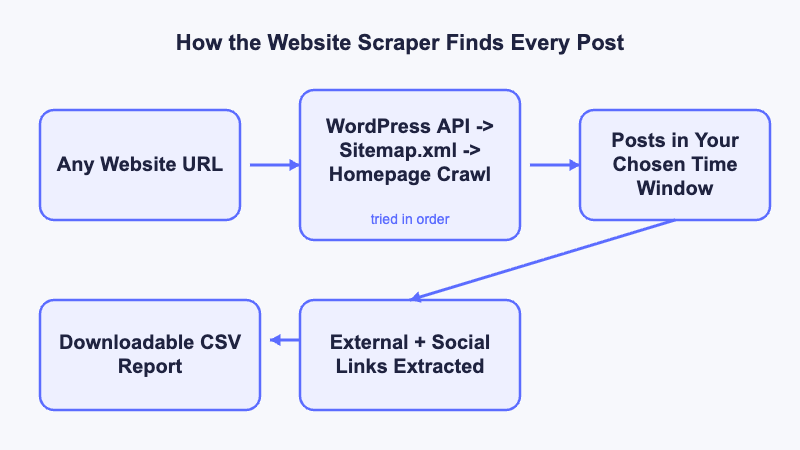
Once the posts are found, the tool opens each one and extracts every external link inside it - automatically flagging which of those links point to social media profiles like Facebook, Instagram, LinkedIn, or X/Twitter.
What You Can Extract With a Website Scraper
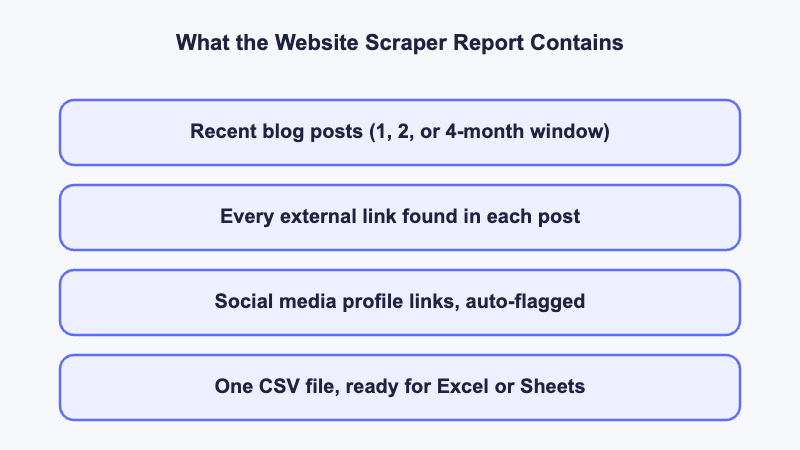
- A list of recently published blog posts within a time window you choose (1, 2, or 4 months)
- Every external link referenced inside each post
- Social media profile links, automatically separated from other external links
- A downloadable CSV report you can open in Excel or Google Sheets
Real-World Use Cases for a Website Scraper
Marketers, SEOs, and researchers reach for a website scraper for a handful of very practical reasons:
- Competitor content monitoring - see what a competitor publishes and how often, without manually checking their blog every week.
- Backlink and guest-post prospecting - the external links pulled from a site's recent posts often point to sites open to collaboration or already linking out to similar content.
- Social profile discovery - quickly find the social accounts a business actually promotes on its own blog, useful for outreach lists.
- Content calendar research - spot publishing patterns and topic gaps before planning your own content.
Tips for Getting Accurate Results
A few things help the scraper return the most useful results: choose a time window that matches how often the site actually publishes, and re-run the scan periodically (weekly or monthly) if you are tracking a competitor's output over time rather than doing a one-off check.
Ready to see it for yourself? Try the Website Scraper tool free and get a full report on any site in minutes.